Quick stats
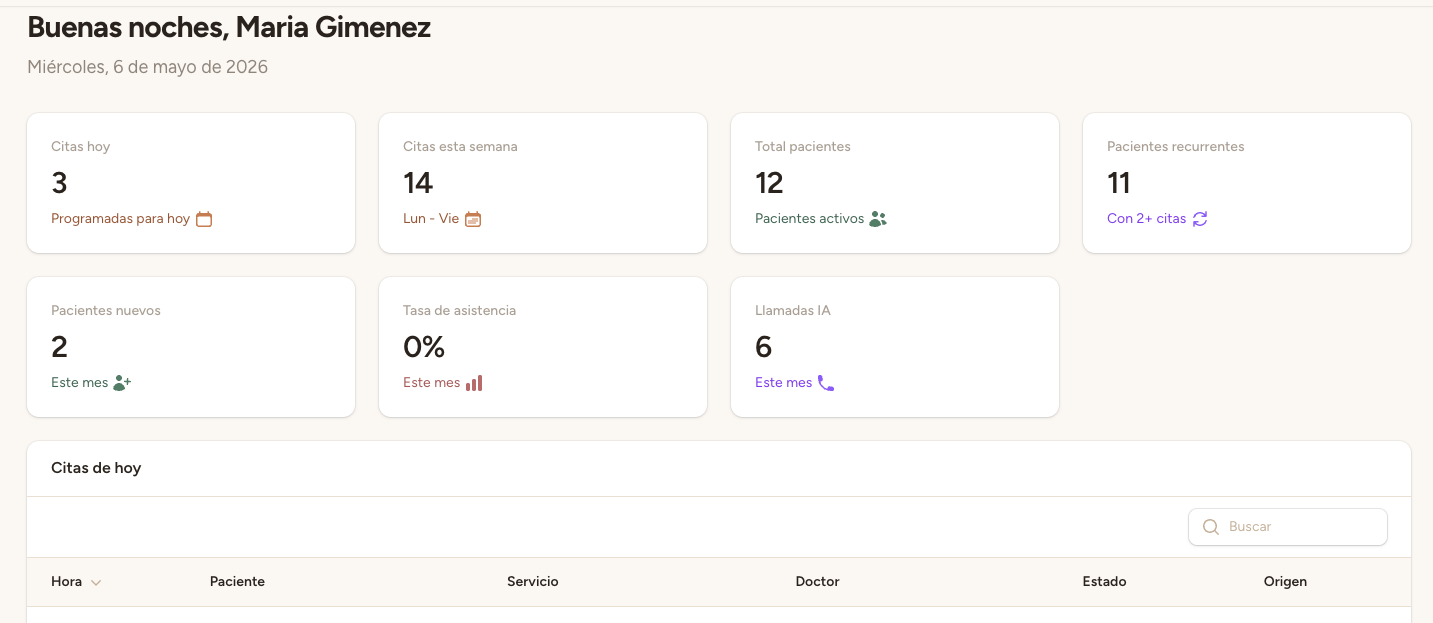
At the top of the Dashboard you'll find four cards with your clinic's key metrics:
- Today's appointments — the total number of appointments scheduled for the current day.
- This week's appointments — all appointments for the current week (Monday to Sunday).
- Pending appointments — appointments that haven't been confirmed yet and need your attention.
- AI calls this month — the number of calls handled by the voice assistant during the current month.
Today's appointments
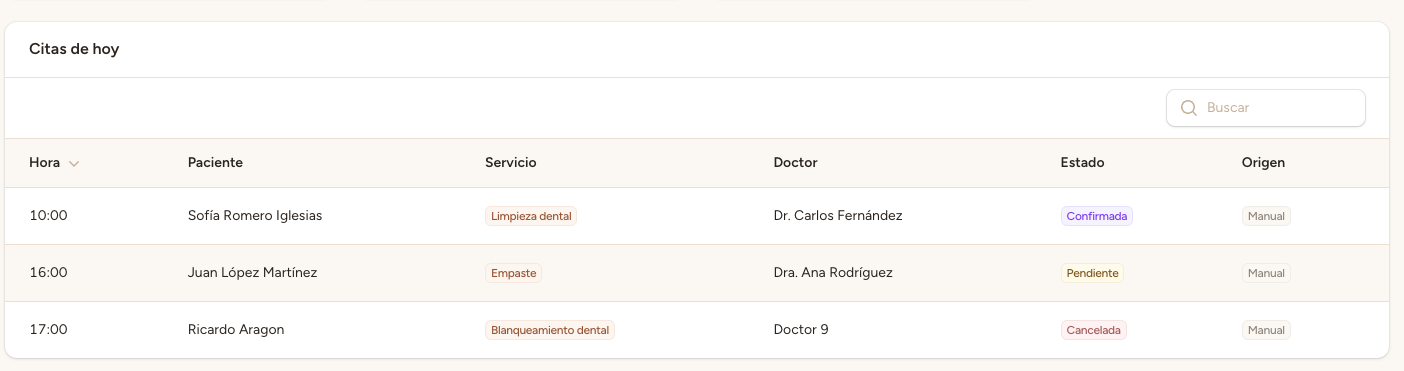
Below the stats you'll see the list of today's appointments. Each row shows:
- Time — appointment start and end time
- Patient — patient name
- Professional — assigned professional
- Service — appointment type or treatment
- Status — colored badge (pending, confirmed, etc.)
Click on any appointment to see its full details and change its status.
Navigation — Side menu
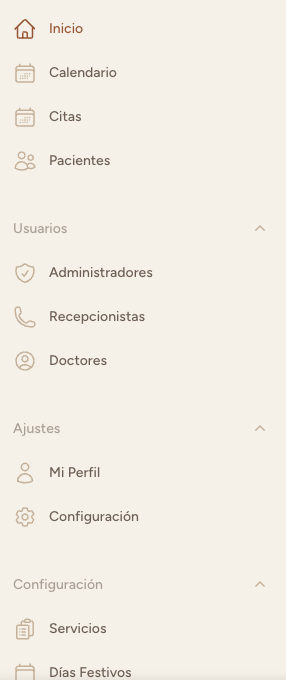
The side menu (on the left on desktop, collapsible on mobile) gives you access to all panel sections:
- Dashboard — main screen with stats
- Appointments — full list, create and manage appointments
- Patients — patient database
- Professionals — professionals and their schedules
- Services — treatments with duration and price
- Holidays — days blocked for the AI
- Call logs — assistant transcripts and recordings
- Calendar — weekly view of all appointments
- Settings — clinic and assistant configuration
Calendar
The Calendar section offers an interactive weekly view with all appointments. Each appointment's color corresponds to the assigned professional, and the border indicates the appointment status. It's ideal for getting a global overview of the week.