Access the patient profile
To view a patient's appointment history, go to the <strong>"Patients"</strong> section in the sidebar and search for the patient by name. Click on their name in the list to open their full profile.
The patient profile shows all their personal information at the top and, below, you will find the appointments section.
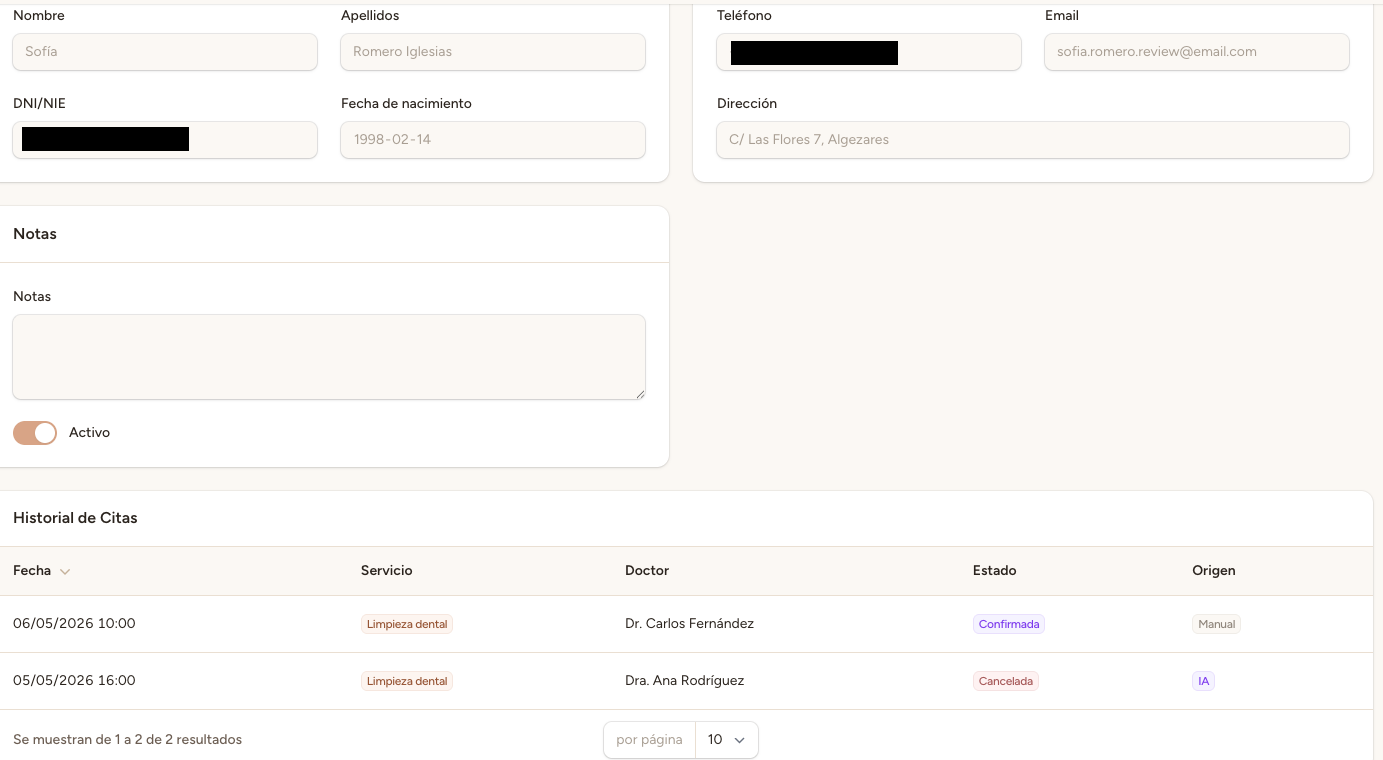
View the patient's appointments
Within the patient profile, you will find the <strong>appointment history</strong> with all past and future appointments associated with that patient. Appointments are displayed from most recent to oldest.
You can scroll through the list to review all registered appointments.
Info
<strong>Cancelled appointments</strong> also appear in the history, marked with their corresponding status. This gives you a complete record of all patient activity, including appointments that did not take place.
Appointment details
Each appointment in the history shows the following information:
Date and time — The day and time slot of the appointment.
Profesional — The professional assigned to the appointment.
Service — The type of service or consultation.
Status — Pending, confirmed, completed, cancelled, among others.
Notes — Observations or comments added to the appointment.