Call log list
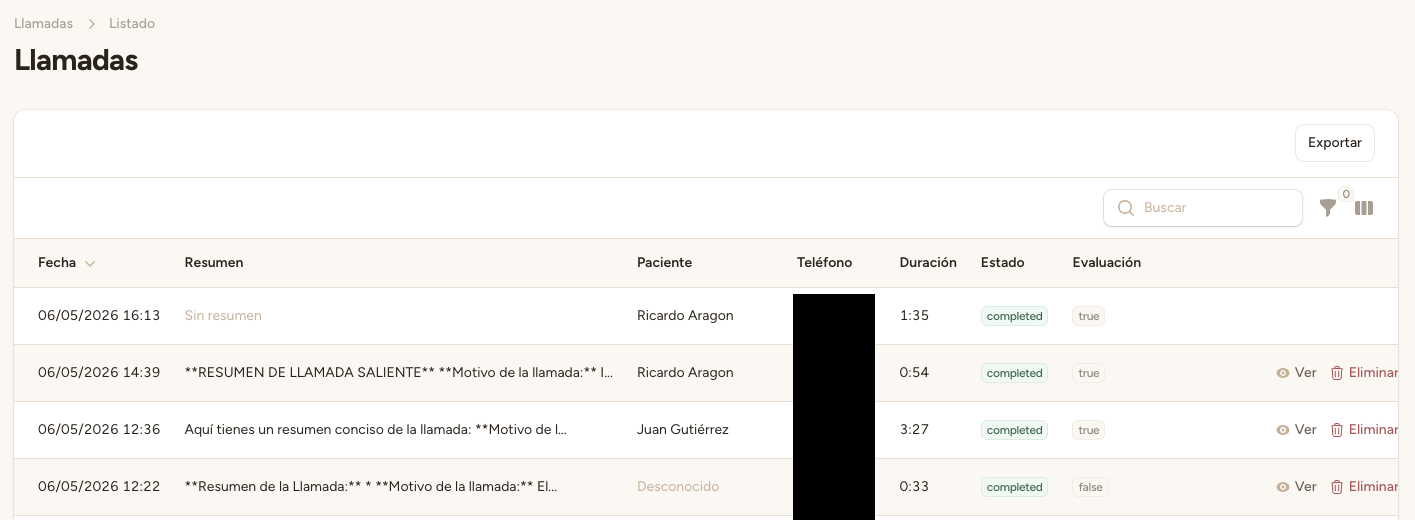
To view all call logs, go to <strong>«Call Logs»</strong> in the side menu of your clinic panel. There you'll find a complete list of all calls handled by the AI assistant.
Each record shows:
- Phone number — The number the patient called from.
- Duration — Total call time in seconds.
- Status — Completed, failed, no-answer, or in-progress.
- Linked patient — The patient identified during the call (if found).
- Linked appointment — The appointment created or modified during the call (if applicable).
Call detail
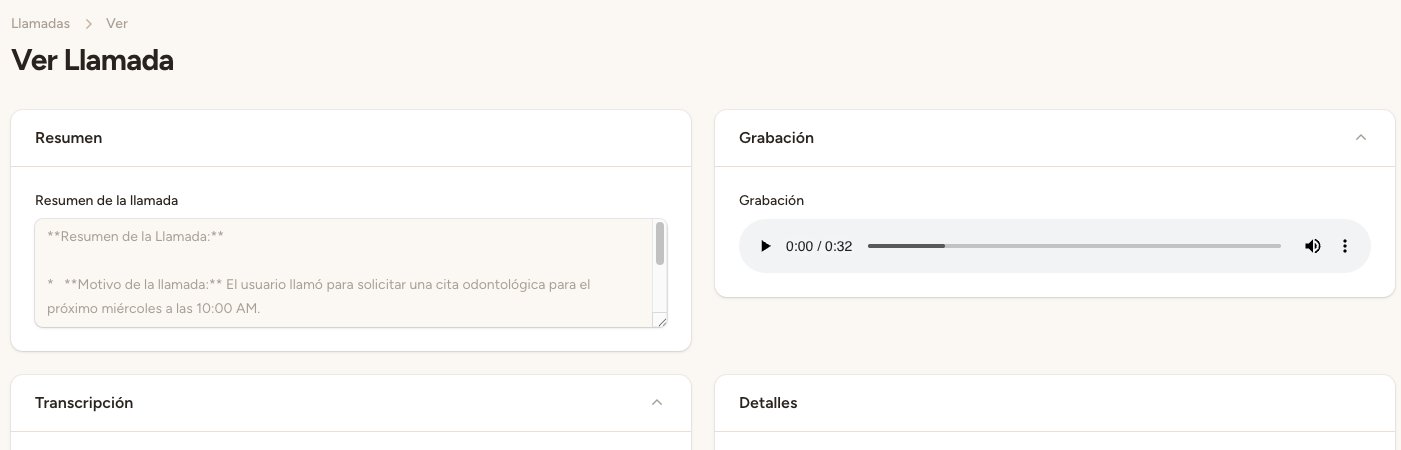
Click on any call record to see the full information. The detail view includes:
- Full transcript — The entire conversation between the patient and the assistant, word by word.
- AI-generated summary — A concise, automatically generated summary of the call.
- Success evaluation — Score from 1 to 10 with justification, evaluating whether the call achieved its goal.
- Cost — The itemized cost of the call.
- Ended reason — Why the call ended (patient hung up, transfer, max duration, etc.).
- Call type — Inbound or outbound.
Audio recordings
All calls are recorded automatically. You can play recordings directly from the call detail. Two formats are available:
- Mono recording — Single-channel audio with the entire conversation.
- Stereo recording — Two-channel audio (assistant on one channel, patient on the other), ideal for reviewing each speaker's quality separately.
Recordings are useful for reviewing interaction quality and identifying improvement opportunities.
💡 Tip
Review transcripts periodically to identify recurring patterns in patient questions. This information will help you improve the assistant's instructions and provide more accurate responses.
Automatic linking
Call records are automatically linked with other entities in the system:
- Patients — If the caller's phone number matches a registered patient, the call is linked to their profile. You can view the call history from the patient's record.
- Appointments — If an appointment was created or modified during the call, the record is automatically linked to it. You can access the record from the appointment detail and vice versa.
This linking gives you complete traceability: from the original call to the resulting appointment.
ℹ️ Quality evaluation
The success evaluation (1-10 score) helps you monitor the AI assistant's quality. Regularly review low-scoring calls to identify issues and adjust configuration if needed.